


The Medical and Dental Council of Nigeria (MDCN) Housemanship Portal is the official centralized platform for posting MBBS and BDS graduates to their mandatory one-year internship (housemanship).
With the recent upgrade to the portal, candidates can now securely update their personal and payment records directly on the platform.
Overview of the MDCN Housemanship Portal Upgrade
The Housemanship Portal has been upgraded to improve:
-
Security (via OTP authentication)
-
Flexibility (profile editing enabled)
-
Accuracy of payment records (bank, BVN, NIN updates)
These improvements ensure faster verification and reduce posting delays for Nigerian medical and dental graduates awaiting housemanship placement.
1. OTP Integration Before Login (New Security Feature)
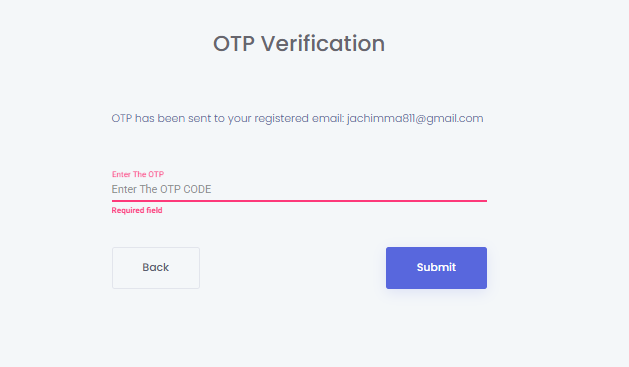
To enhance portal security, MDCN has introduced a One-Time Password (OTP) authentication process before login.
Steps to Login with OTP:
-
Visit the Housemanship Portal login page.
-
Enter your registered email address and password.
-
A 6-digit OTP (e.g., 832743) will be sent to your portal email.
-
Input the OTP code.
-
Click Submit to access your dashboard.
Ensure you have access to the email used during registration. Without the OTP, you cannot log in.
2. How to Edit and Update Your Profile Record
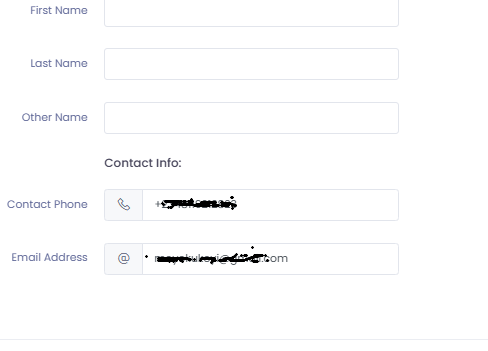
Candidates can now update personal profile details directly on the portal.
Steps to Update Profile Information:
-
Log in to your Housemanship Portal dashboard.
-
Navigate to the Manage Profile section from the side menu.
-
Click the rectangular editable boxes beside:
-
First Name
-
Last Name
-
Other Name
-
-
Make the necessary corrections.
-
Click the Update button to save changes.
This feature helps correct spelling errors, name arrangement issues, and incomplete profile records.
3. How to Update Payment Details (Bank, BVN, and NIN)
Updating your payment information ensures correct stipend processing during your housemanship year.
Steps to Update Payment Details:
-
On your dashboard, click View Payment Details.
-
Select View Account Details.
-
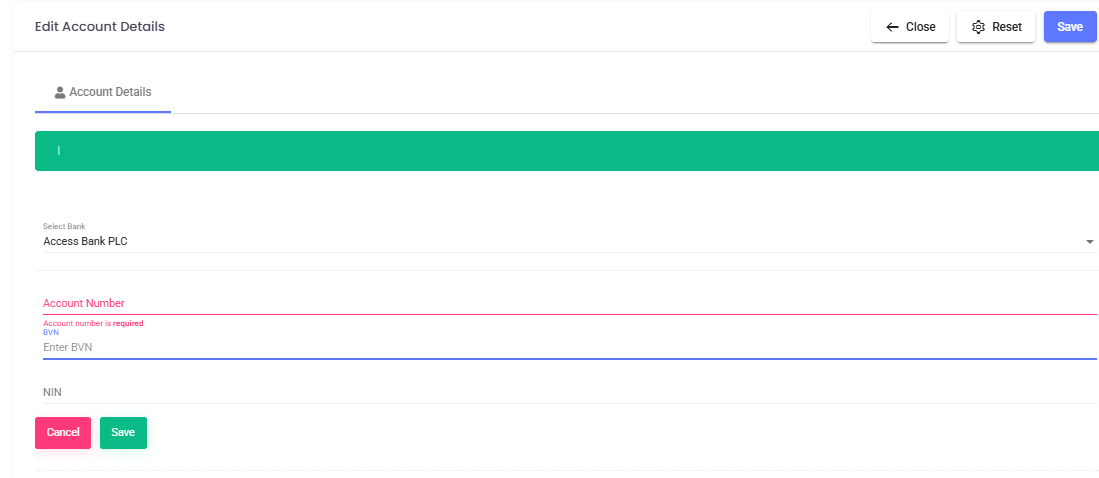
Click the Update button to open the edit dialog box.

-
Update the following fields:
-
Bank Name
-
Bank Account Details
-
BVN (Bank Verification Number)
-
NIN (National Identification Number)
-
-
Save your changes.
Ensure all financial details match your official records to avoid stipend payment delays.
4. Mandatory Step: Email MDCN for Approval
After updating any profile or payment detail, the changes are not automatically effected until approved by MDCN.
You must send an email request for approval.
Email Address:
Required Email Content:
Include the following:
-
Full Name
-
Folio Number
-
Portal Email Address
-
Clear statement requesting approval of updated details
Sample of the Mail
Subject: Request for Approval of Updated Details on Housemanship PortalDear Sir/Ma,
I wish to notify the Medical and Dental Council of Nigeria (MDCN) that I have updated my personal/payment details on the Housemanship Portal.
Kindly review and approve the changes to ensure they reflect on my account.
Details:
Full Name: [Your Full Name]
Folio Number: [Your Folio Number]
Portal Email: [Your Registered Email Address]Thank you for your assistance.
Yours faithfully,
[Your Name]🚨 JOIN THE CALL ROOM – The Central Hub for Doctors 🩺
We’ve moved everything to one powerful community!
🔹 Housemanship Updates
🔹 Medical Officer (MO) Jobs
🔹 Slide Bank & Study Resources
🔹 Doctors Connect (Networking)
🔹 CME & Training Opportunities
🔹 Oil & Gas / Offshore Medical RolesIf you're a medical doctor, intern, or aspiring clinician who wants verified opportunities and real-time updates, this is where you belong.
📍 Join here:
https://t.me/the_call_roomStay informed. Stay connected. Stay ahead.